




















get you radio code in seconds

Unlock your car radio with Radio Code Generator. Fast, easy to use and instant results using your i serial number . Compatible with all major car brands.

Example: VWZ, AUZ, SKZ, BP, SEZ..

Takes less than 2 minutes • No registration required

Over 0 + Codes Delivered Daily

Quick & Easy Radio Code Generator

A clear and straightforward process with radio code generator designed to help you recover your radio code in just a few minutes.

car-inspection

Wide Brand Compatibility

Compatible with most major car brands, including Volkswagen, Audi, Skoda, Seat, Ford, Renault and more. 

Fast delivery after verification

Your radio code is securely delivered after verification, ensuring accuracy and data protection.

Simply select your car brand from the list below.
We’ll guide you step by step to retrieve your original radio code safely.

Available Brands

How It Works

Get your radio unlock code in 3 simple steps

1
Radio Locked
2
Find Serial
3
Enter Code
⏸ Paused
Step 1
Step 1
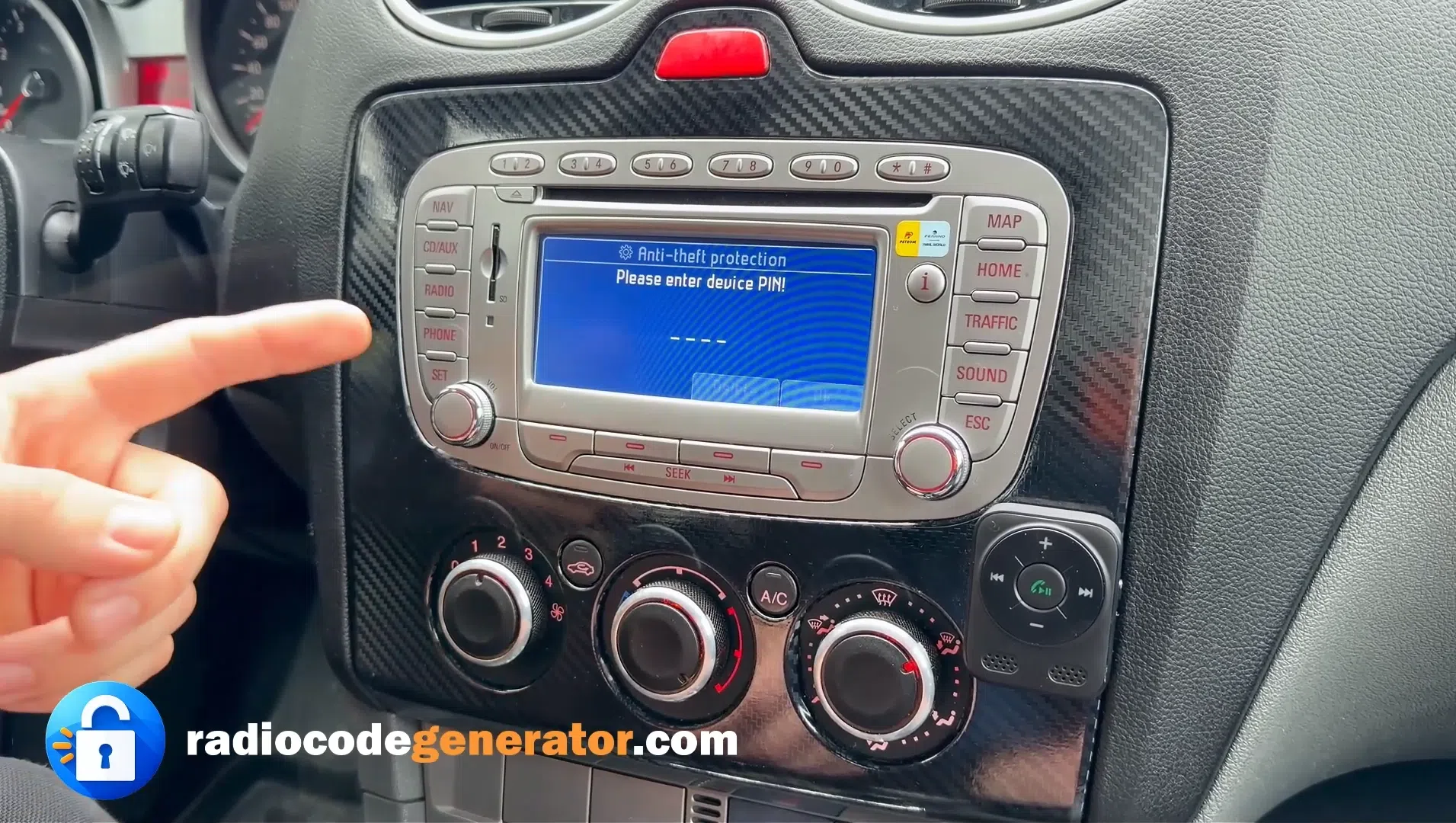
Your Radio Asks For A Code
After a battery change or power loss, your car radio gets locked and displays a PIN request screen.
Step 2
Step 2
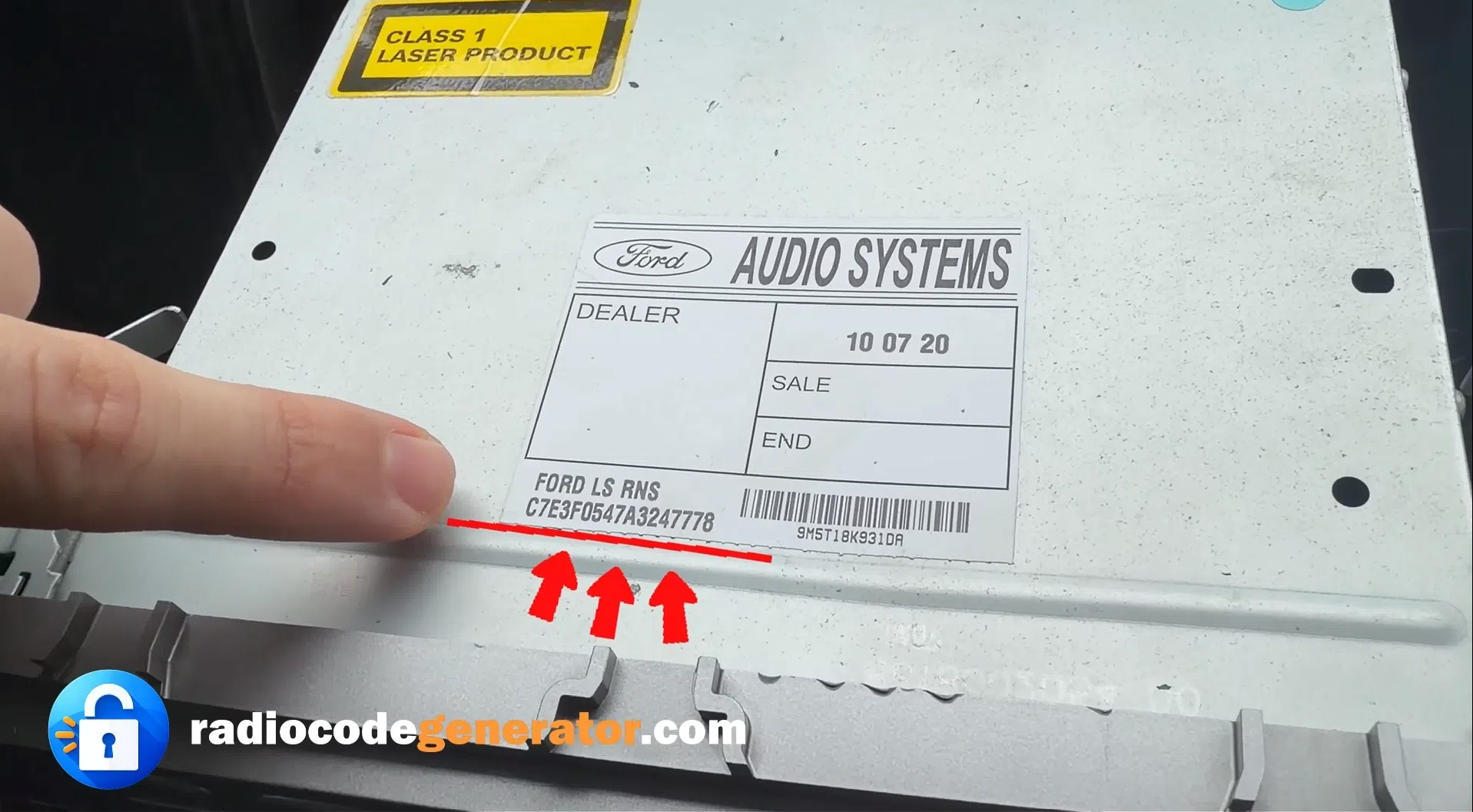
Find Your Serial Number On The Label
Look on the side or back of your radio unit for a label containing the serial number. Enter it on our website.
Step 3
Step 3
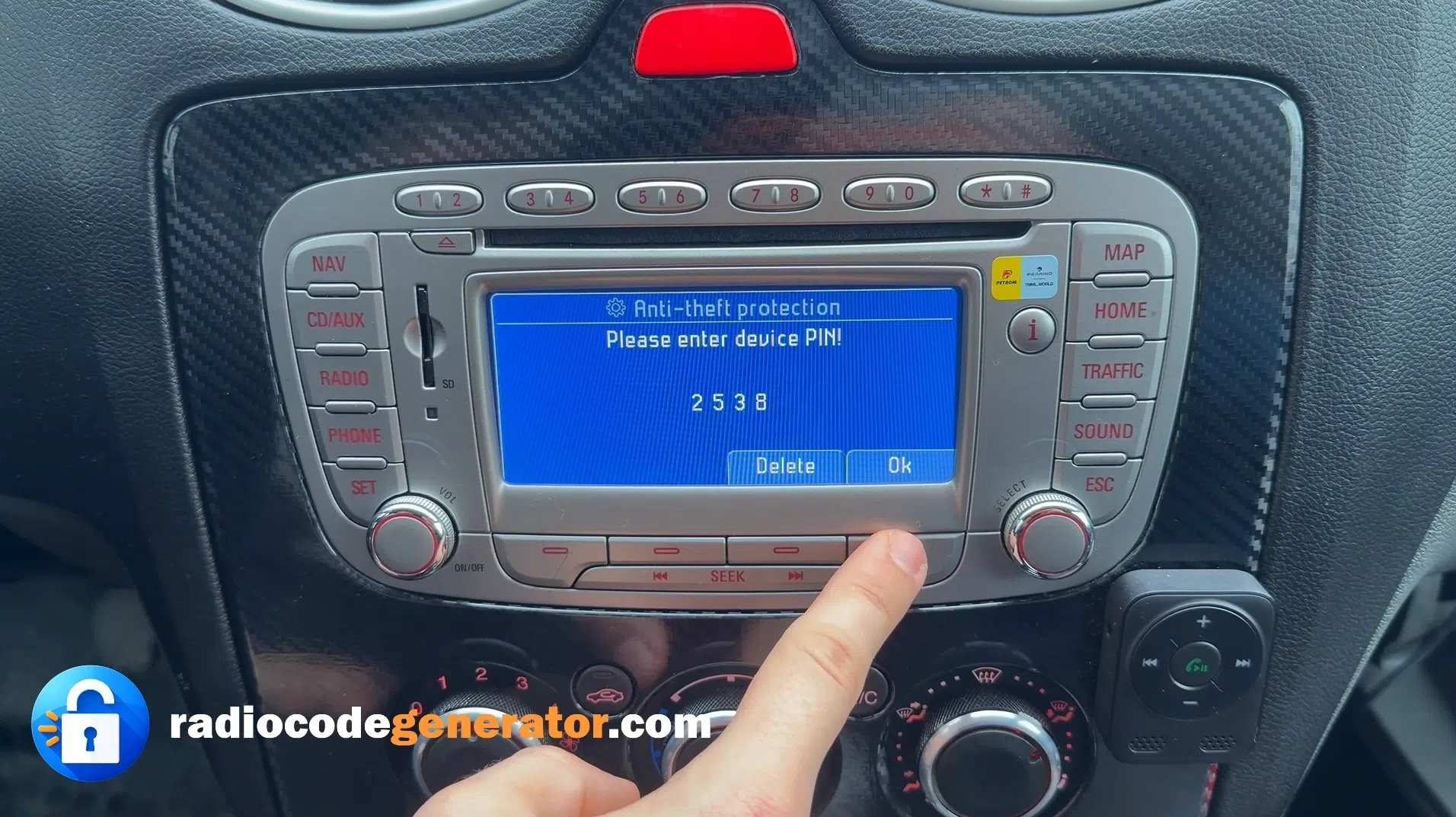
Enter The Code And Unlock Your Radio
Type the generated code into your radio and press OK. Your radio is now unlocked and ready to use!

(Click on the slider to pause autoplay)

How To Find Your Car Radio Serial Number

🔒

Is your car radio asking for a code after a battery change or power loss? When it enters SAFE MODE, you need a valid unlock code. You only need the radio serial number, found on the screen or label, to unlock your radio in minutes with Radio Code Generator.

Locate your radio Serial Number

You can find your car radio serial number in several quick and easy ways, depending on the make and model of your vehicle.

📺

On the radio screen

For many Ford, VW, Audi, Skoda, Seat, Honda and some Blaupunkt car radios you can display the serial number directly on the screen. Turn the radio ON and press and hold the preset buttons 1 + 6 or 2 + 6 for a few seconds. The serial number (often starting with V, M, BP, C7, AUZ, VWZ, etc.) will appear on the display.

🔖

On the radio label

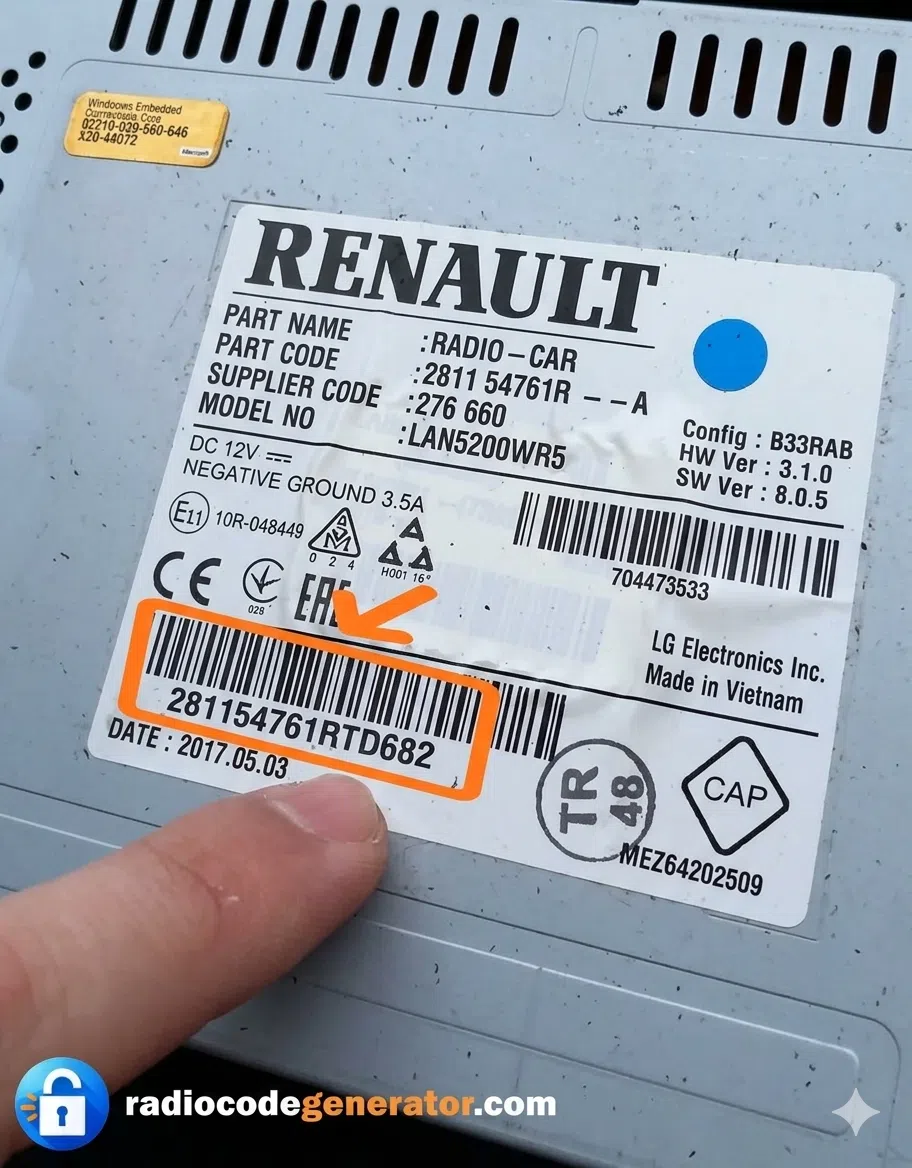
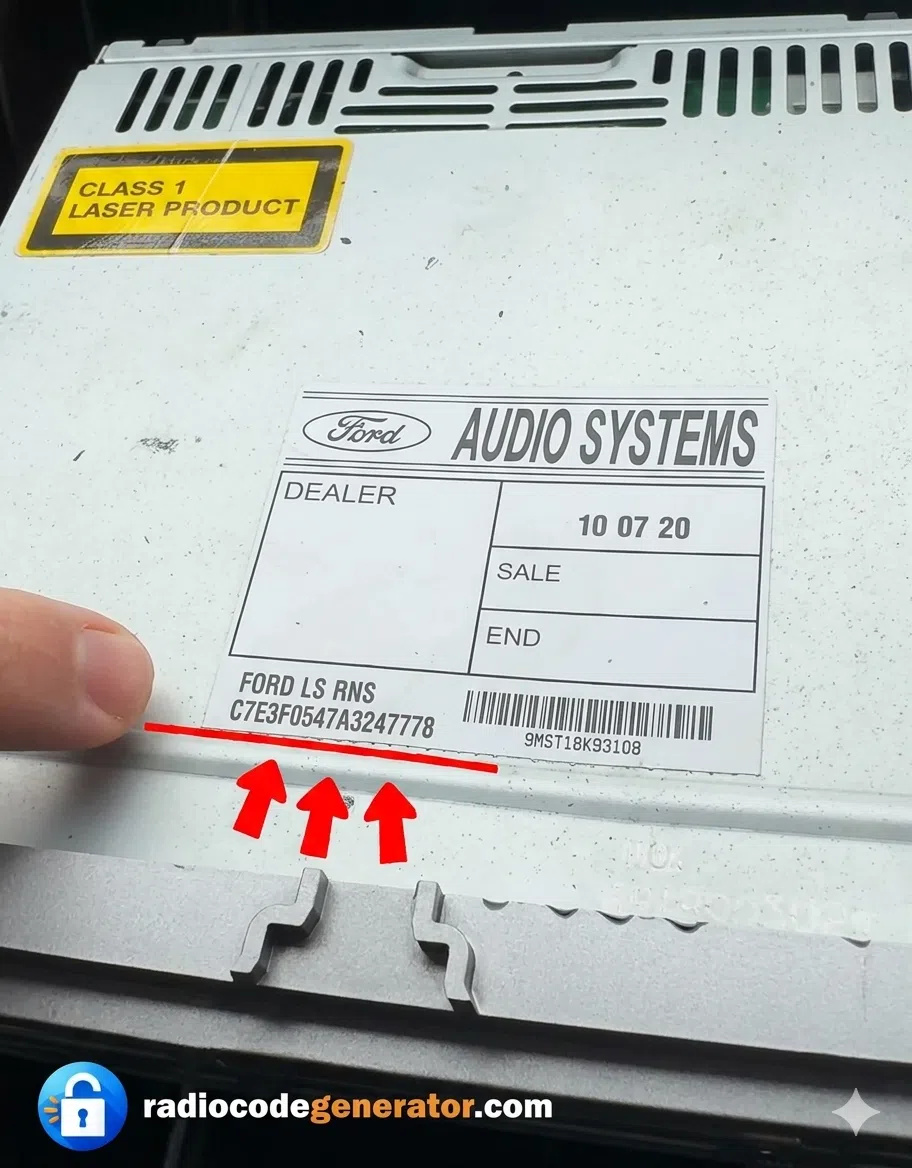
Can't find the serial on your display? You can always find it on the radio's physical label. Simply use removal keys to pull the unit forward and inspect the casing. The serial number is usually located under a barcode or is often stamped into the metal for permanence. The car radio serial number is typically a 14-to-17-digit alphanumeric string (e.g., beginning with VWZ, SKZ, AUZ, or SEZ) Capture a quick photo of this label to ensure you have the correct digits to generate your radio unlock code instantly.

Once you have the serial number, you can generate your unlock code instantly!
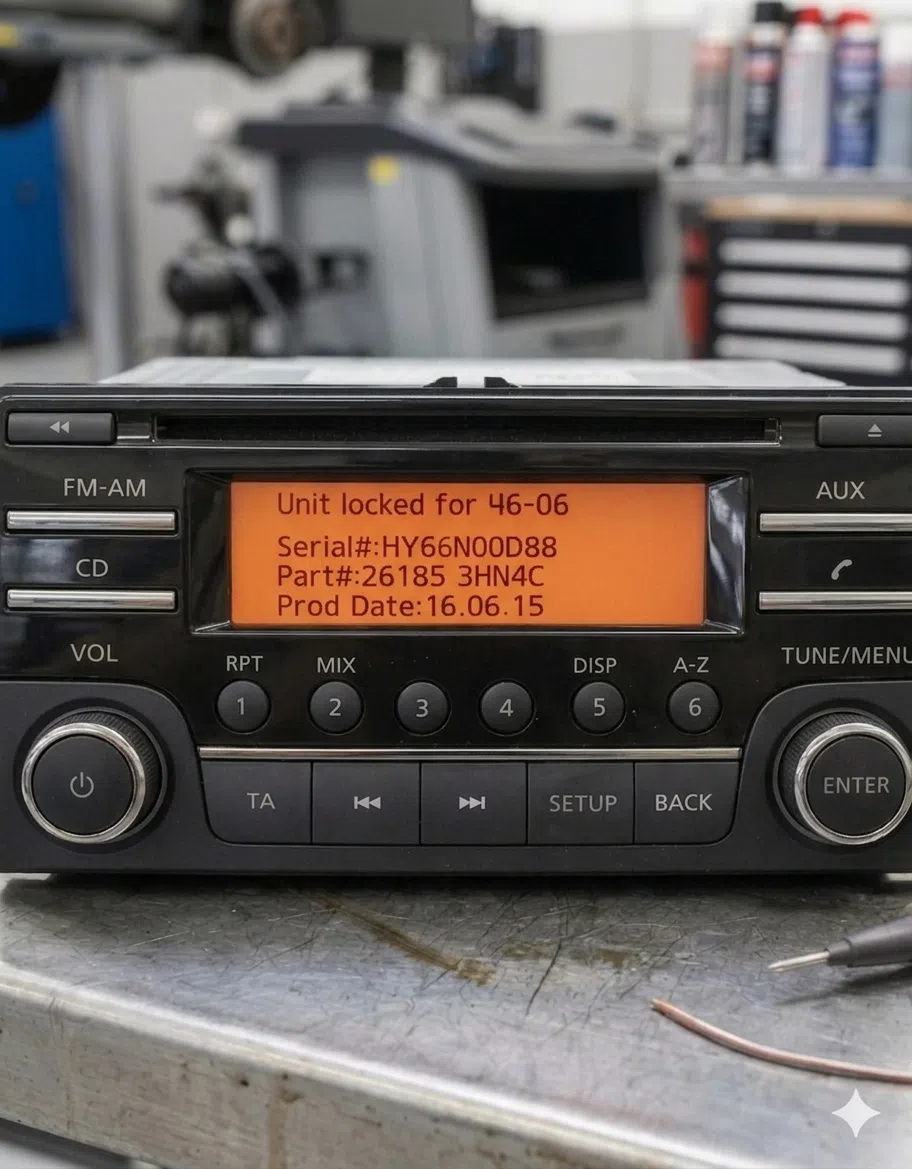
Radio serial number example 1
Radio serial number example 2
Radio serial number example 3
⏸ Paused

Examples: Radio serial number locations (click to pause)

Guidance and
useful tips

Tip 1. Methods on getting your radio code

1. 📖

Check the car's manual

This is the quickest method. Some vehicles have the radio code written inside the manual or on a separate card.

2. 📋

Check the radio label

In rare cases, the radio code may be printed on a label located on the back or side of the radio unit. You may need to partially remove the radio from the dashboard.

3. 🌐

Use an online radio code generator

If you can't find the code in the manual or on the radio label, you can generate your radio unlock code online using the radio serial number. This method is fast, secure, and usually cheaper than visiting a dealership.

4. 🏢

Visit a local dealership

A dealership can also retrieve your radio code, but this option is often slower and more expensive compared to online services.

Tip 2. Methods on how to generate your radio code

Step 1 Enter your radio serial number in the form
Step 2 Provide a valid email address where you want to receive the code
Step 3 Click the "Get your code now" button
Step 4 Complete the secure payment process
Step 5 Receive your radio unlock code by email within seconds

Fast delivery: Most codes are delivered instantly! The entire process takes less than 2 minutes.

Tip 3. How To Enter Your Radio Code!

Turn your vehicle radio ON. The message "SAFE", "CODE" or "LOCKED" may appear on the screen.

If your radio has numbered buttons, use them to enter the code. For example, if your code is 2314, press button 2 until you see "2", then button 3 until "3", and so on.

Some radio models unlock automatically once the correct code is entered.

If the code does not work or you encounter any issues, please CONTACT our support team. We are here to help you and if you are in need of more information just visit our FAQ's page or for very useful articles visit our Blog page.

📹 Watch: Step-by-step guide on how to enter your radio code

Why Choose Us

We collaborate with a wide range of  satisfied customers, form regular clients to auto shops, dealerships or garages. We have as values the customers happiness so we give our best to offer the best services on the market and the best customer service experience.

Experts ​​

Our engineers are working on the clock to create an fast and efficient service so you can have your code in just a few moments.

Experience ​

We have a vast experience in the automotive domain, we guarantee an working code and an fast generation process.

Service​

Our support team is here 24/7 to help you solve any issue you may face in the steps you make to receive your code.

Trusted Work​

We guarantee that your code will work, but in the case that for some reason the code is not functioning we assure you a full Refund of your money.